Brazier
Overview
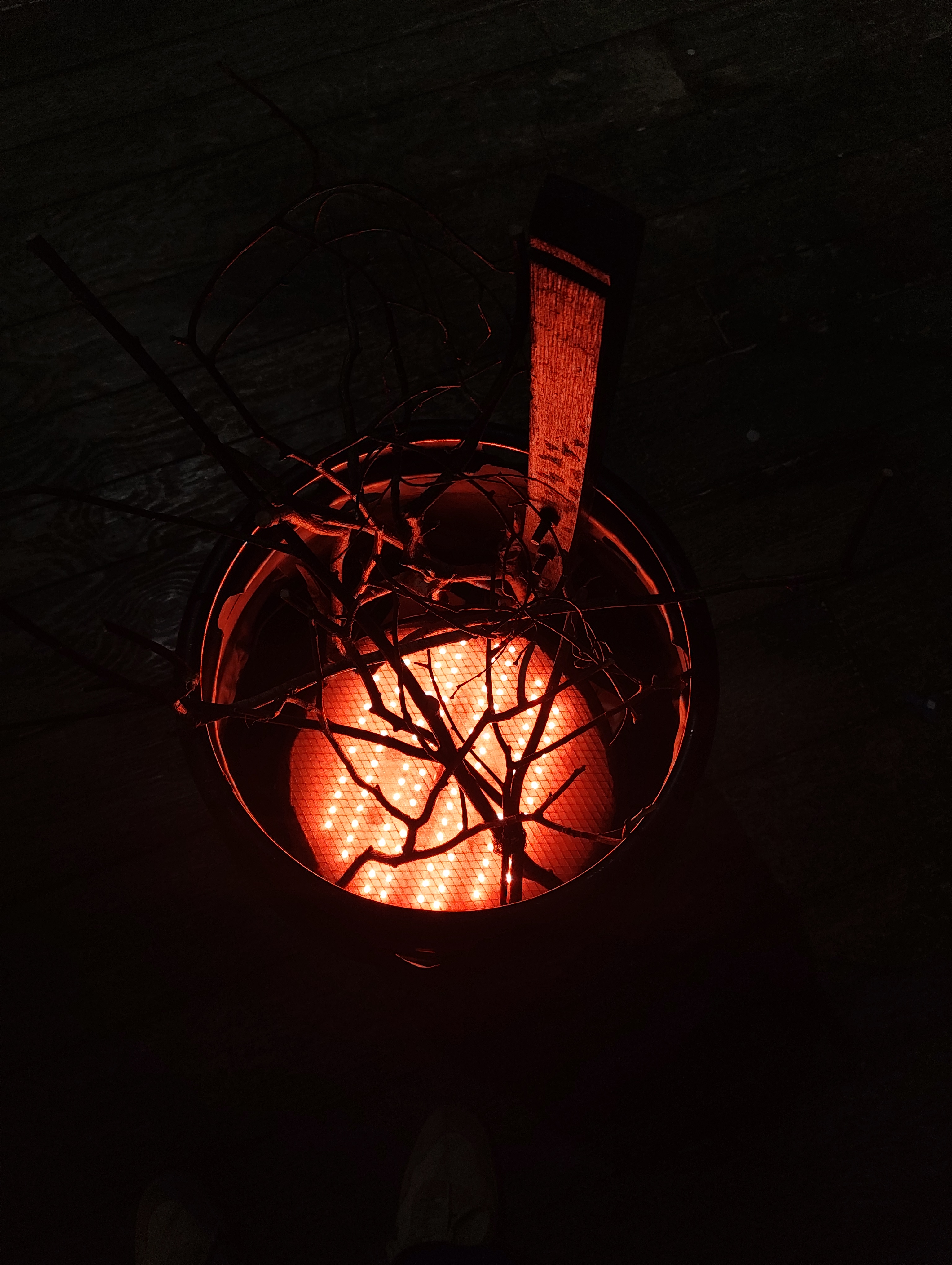
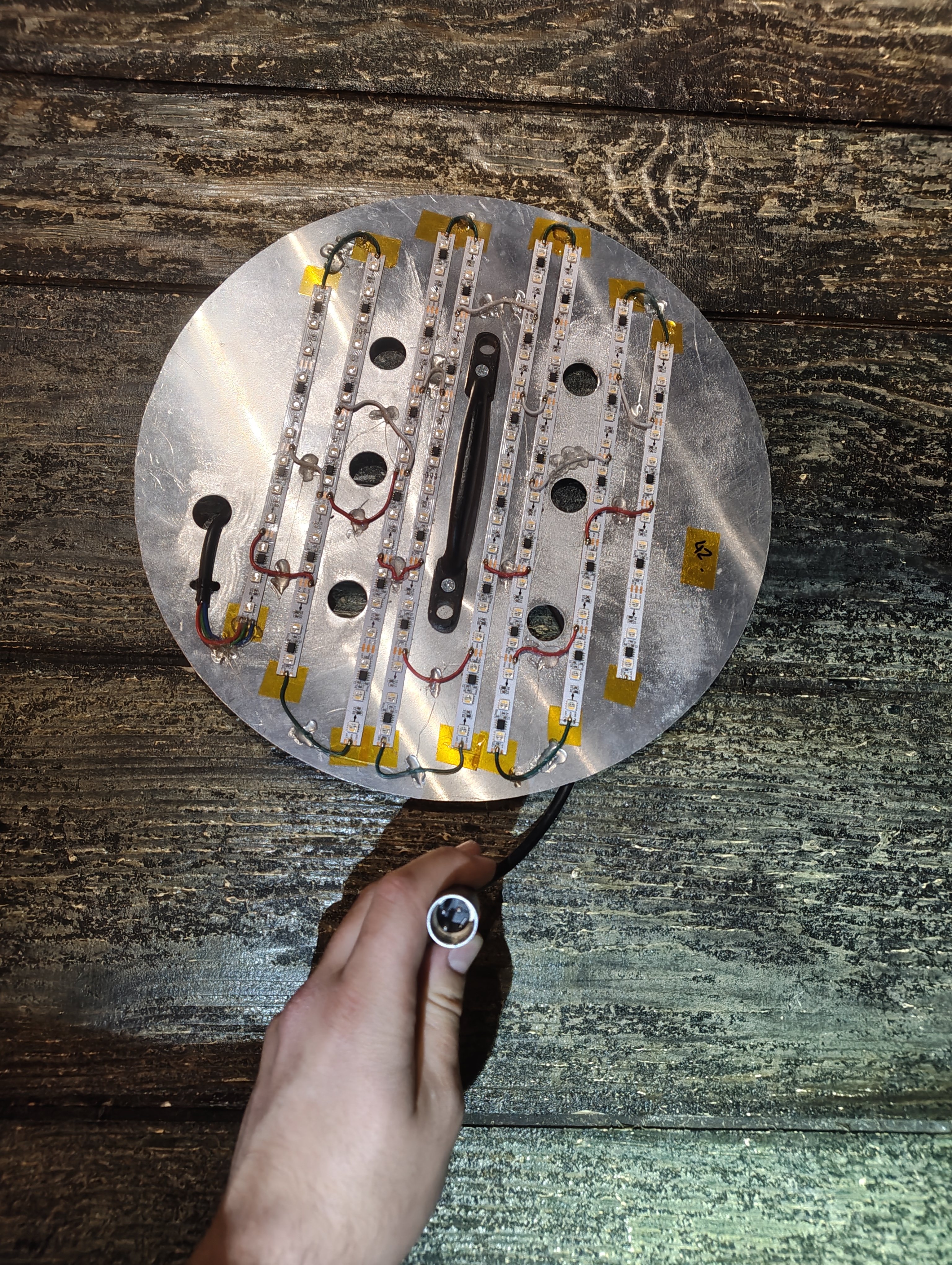
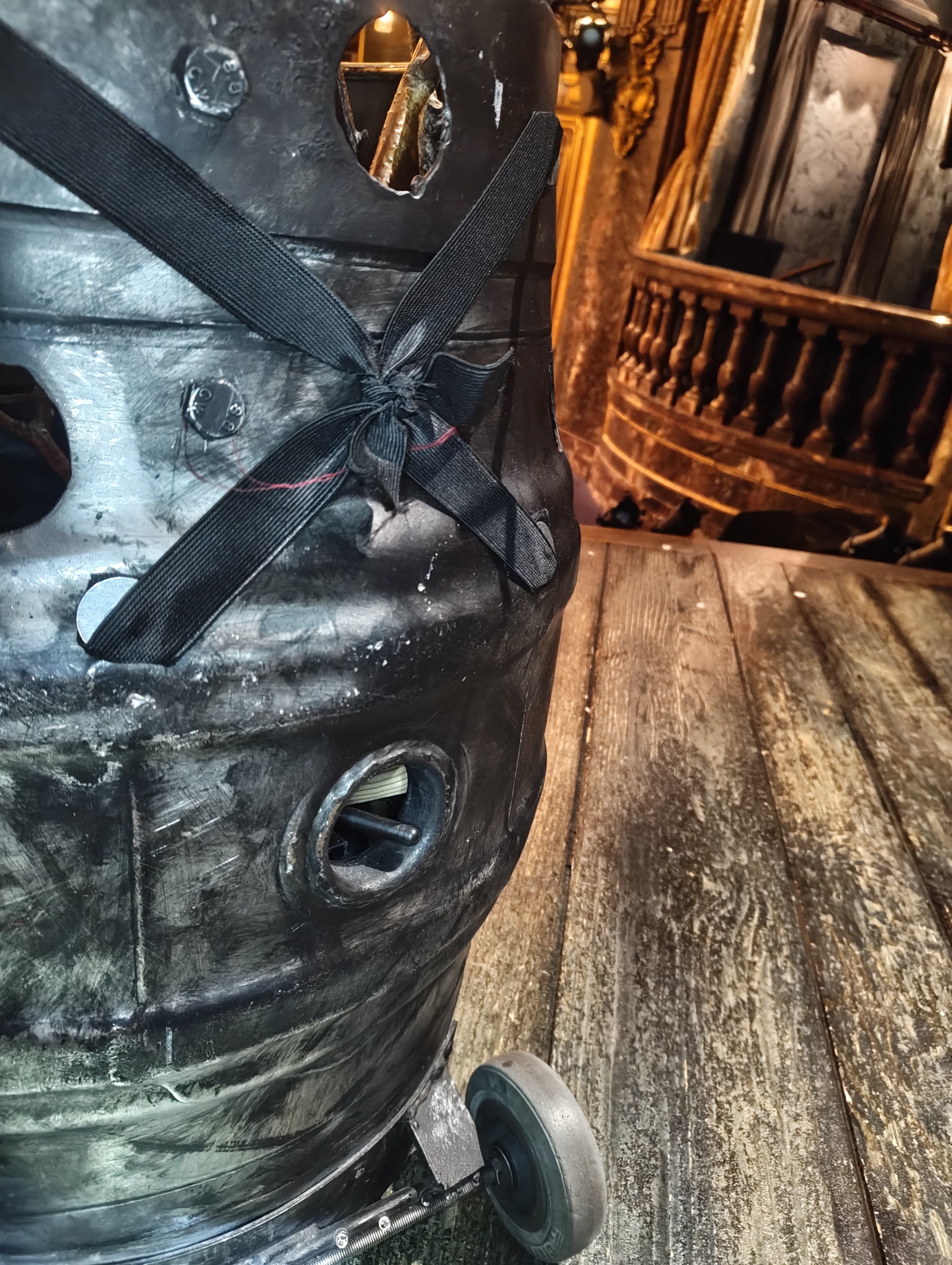
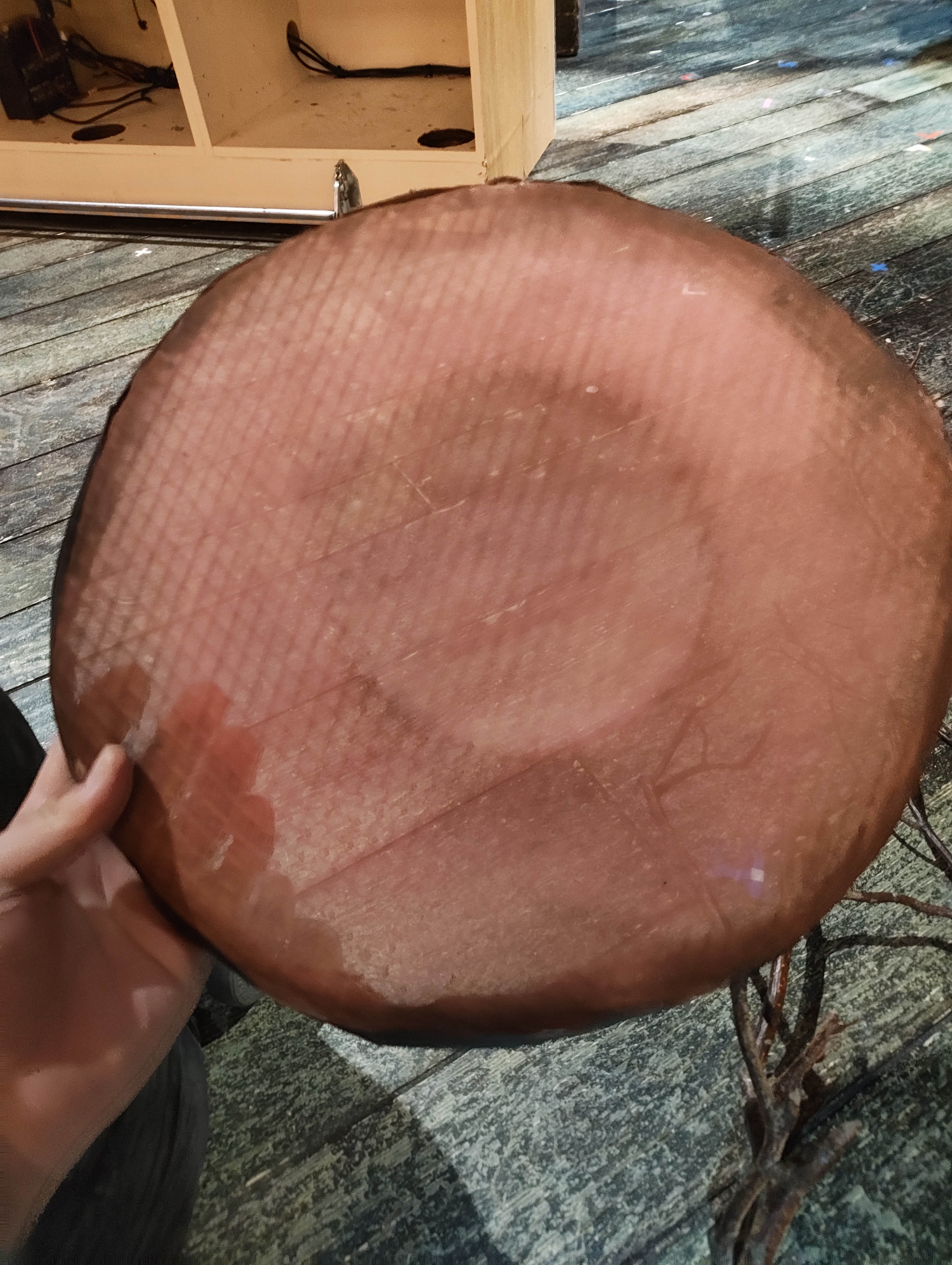
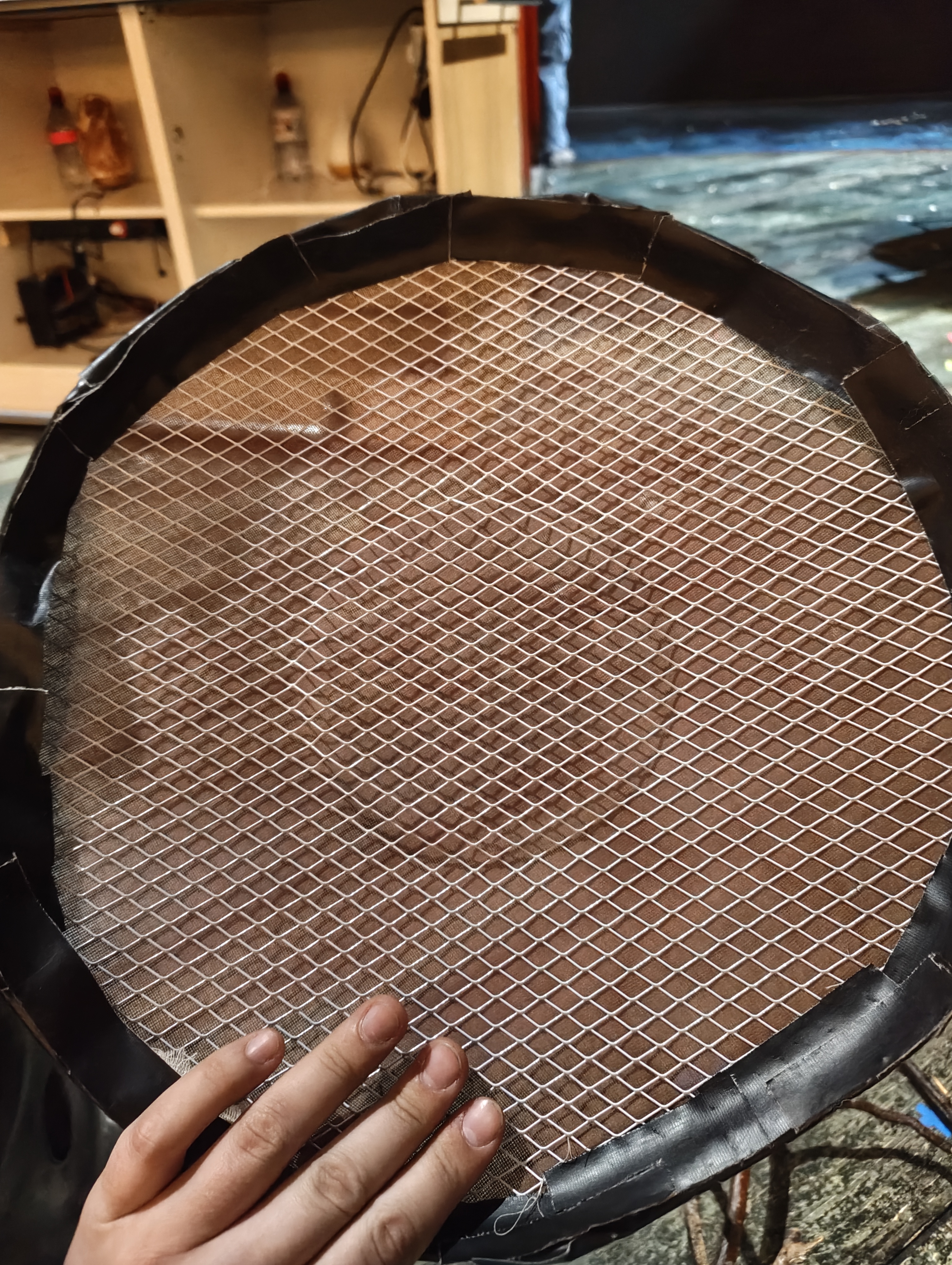
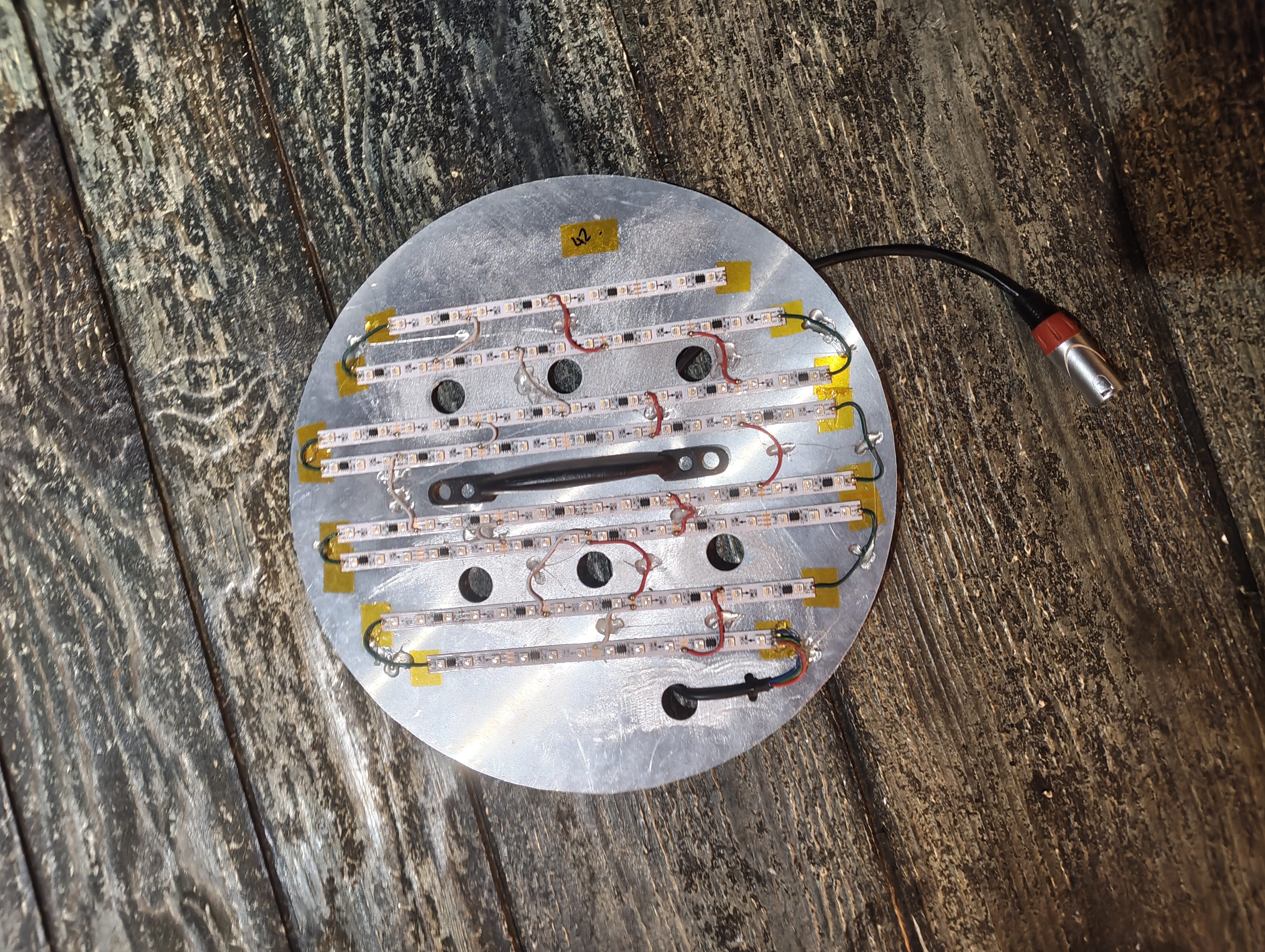
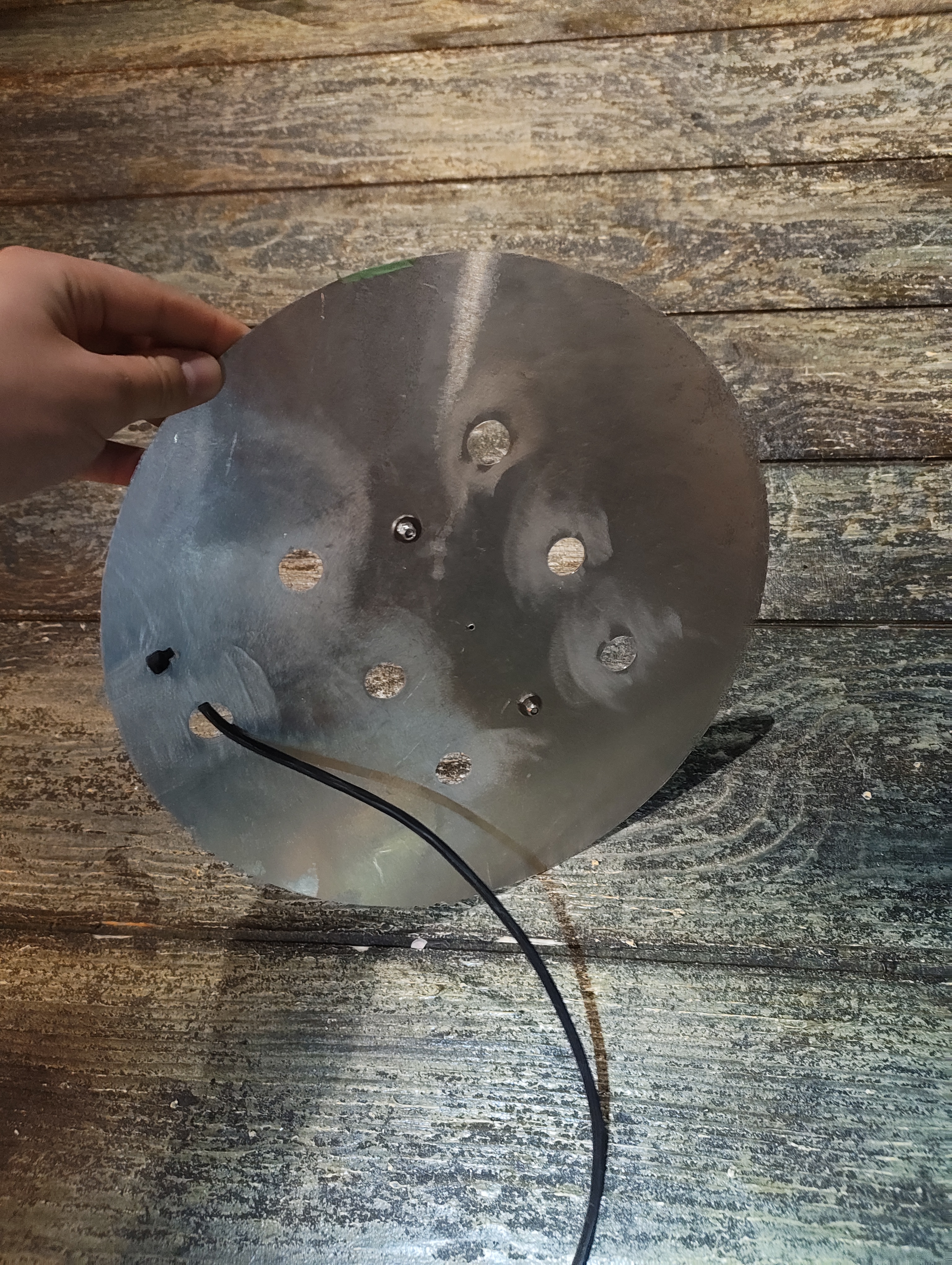
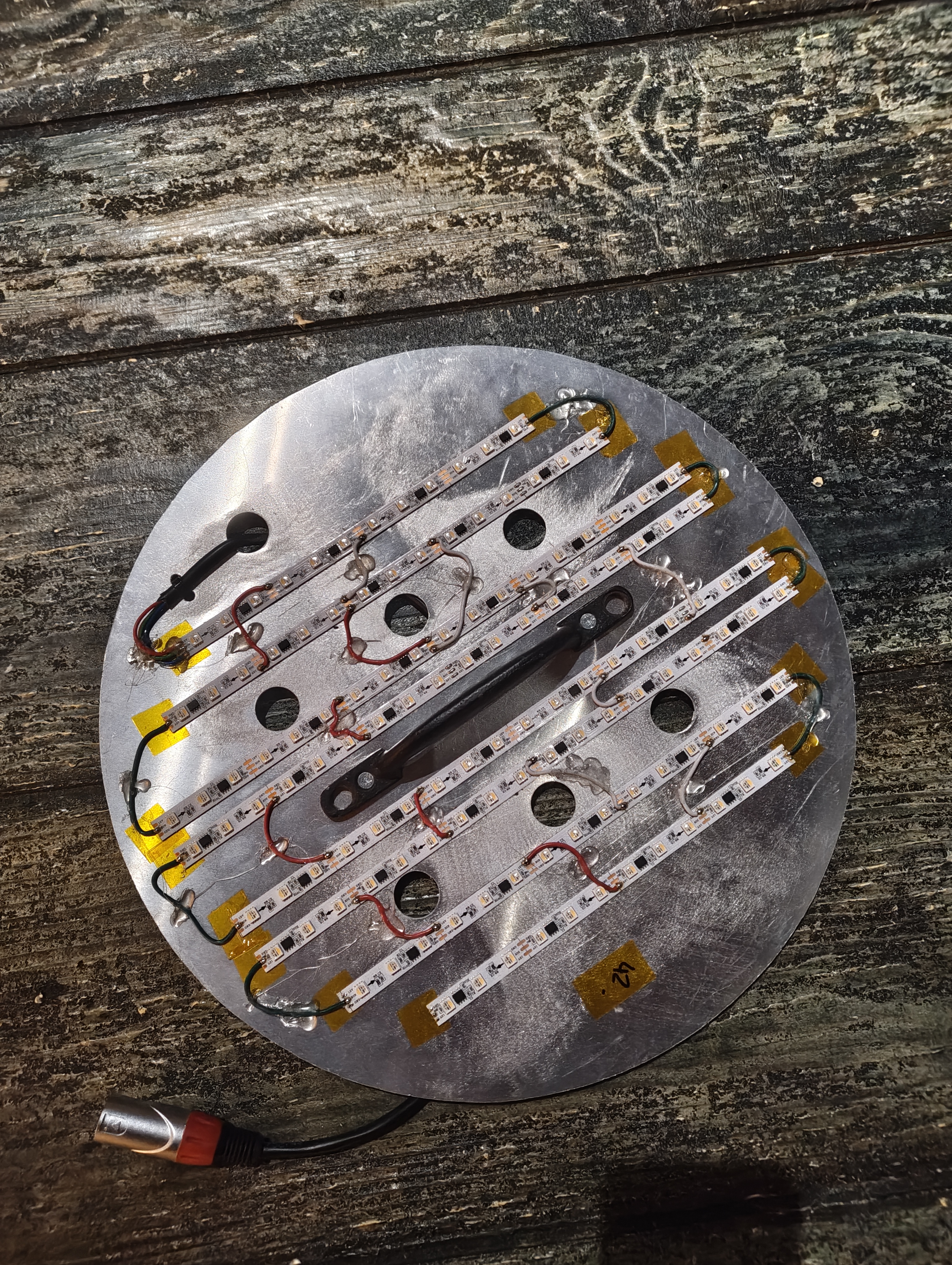
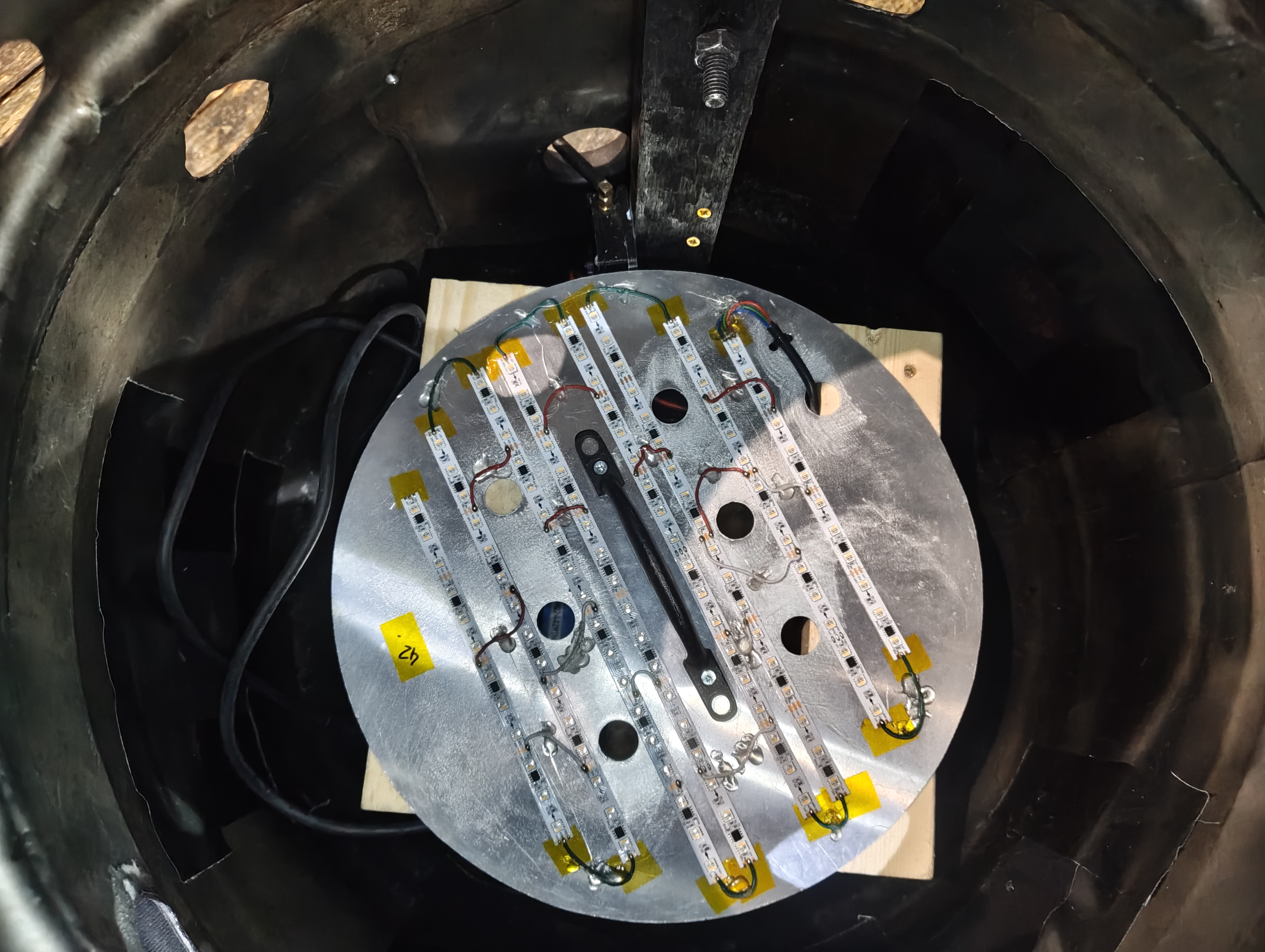
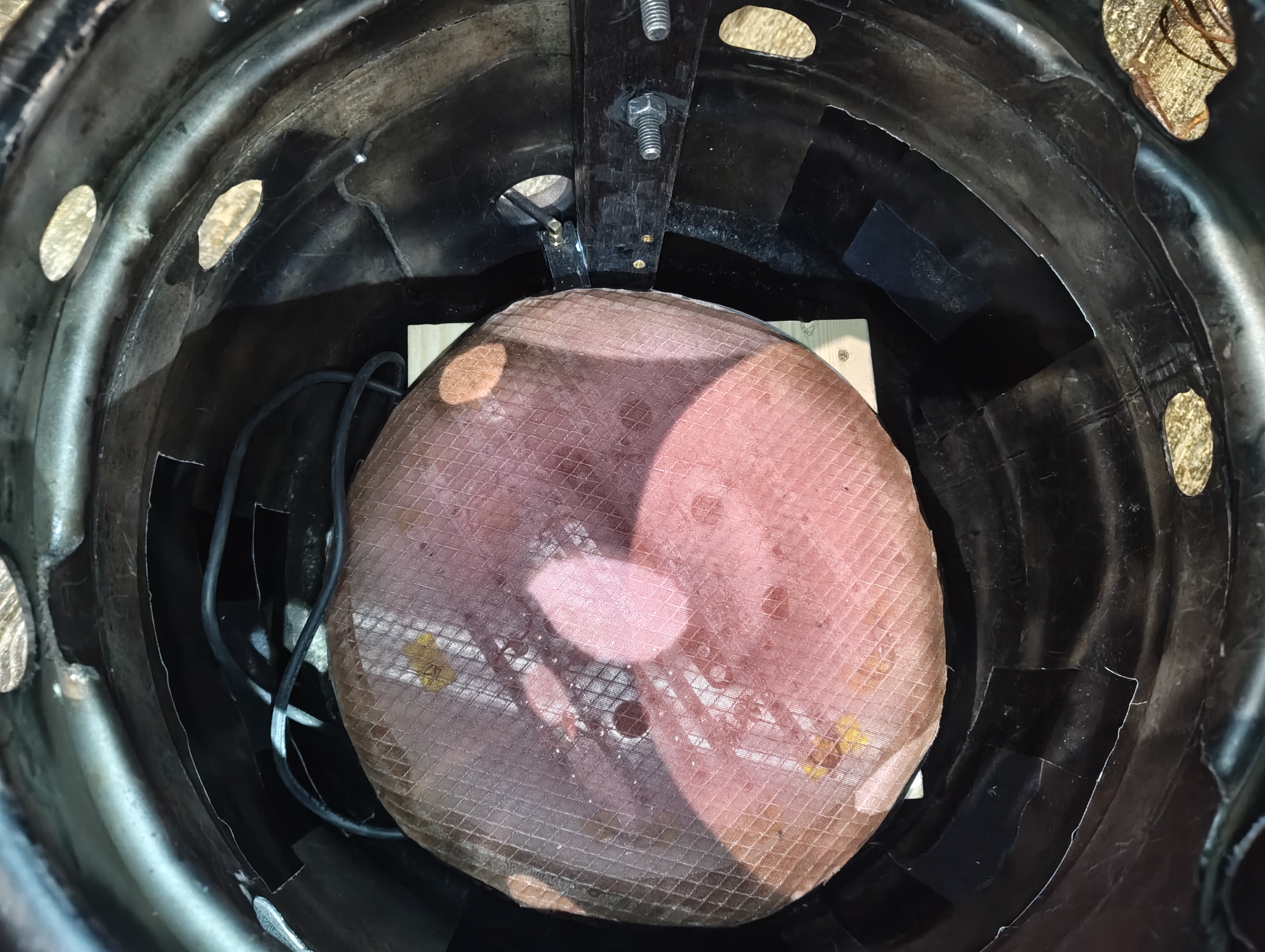
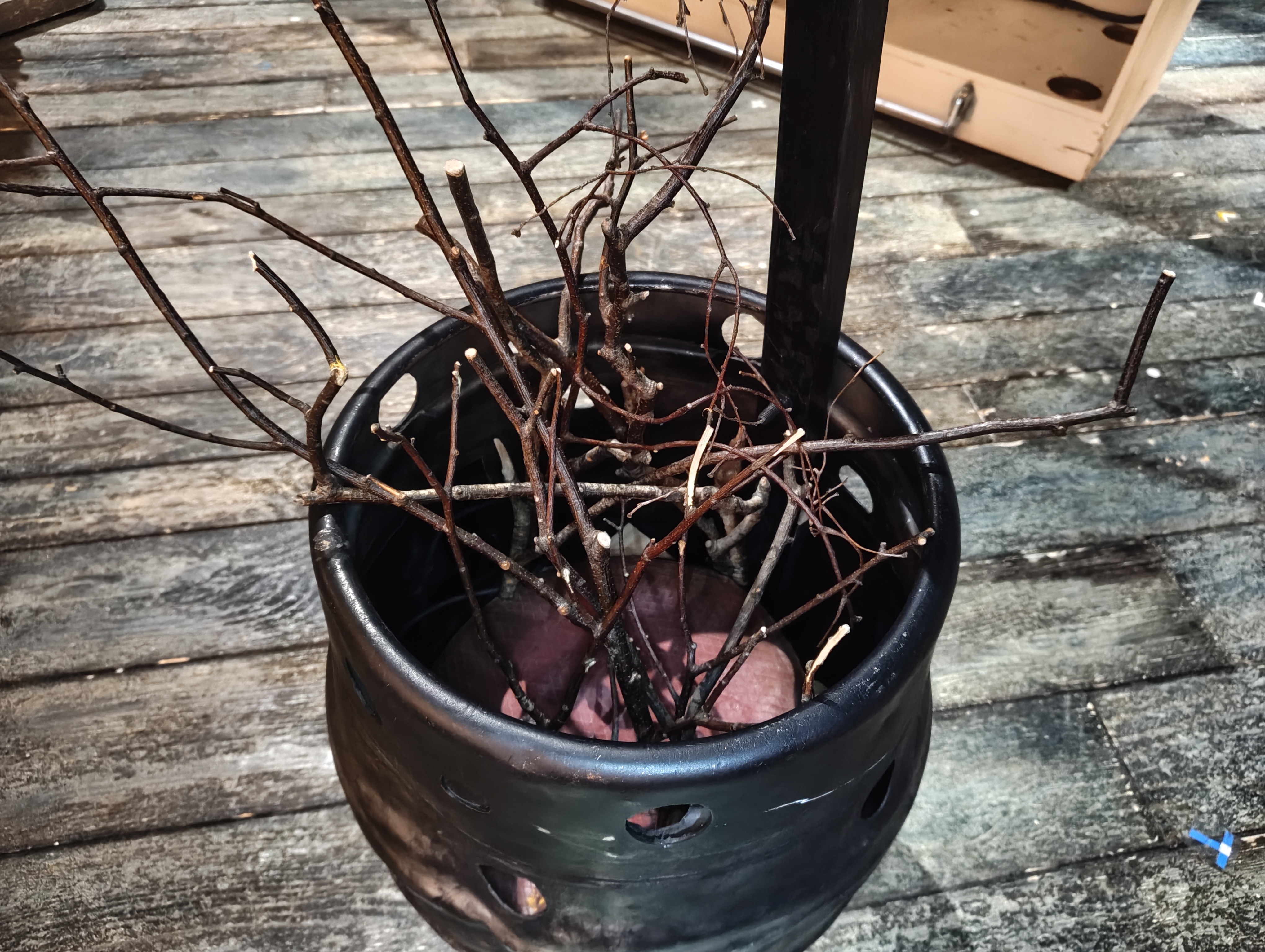
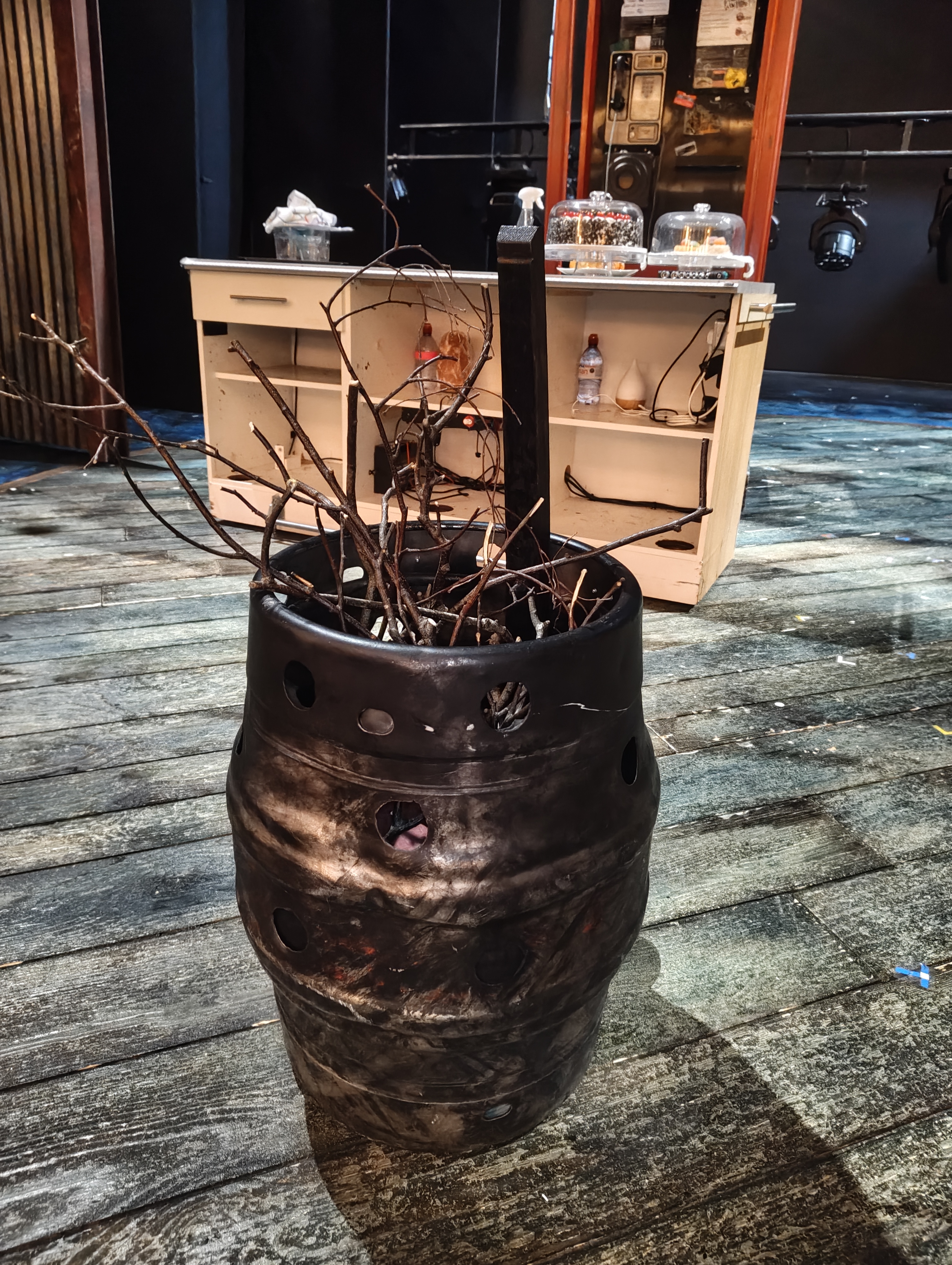
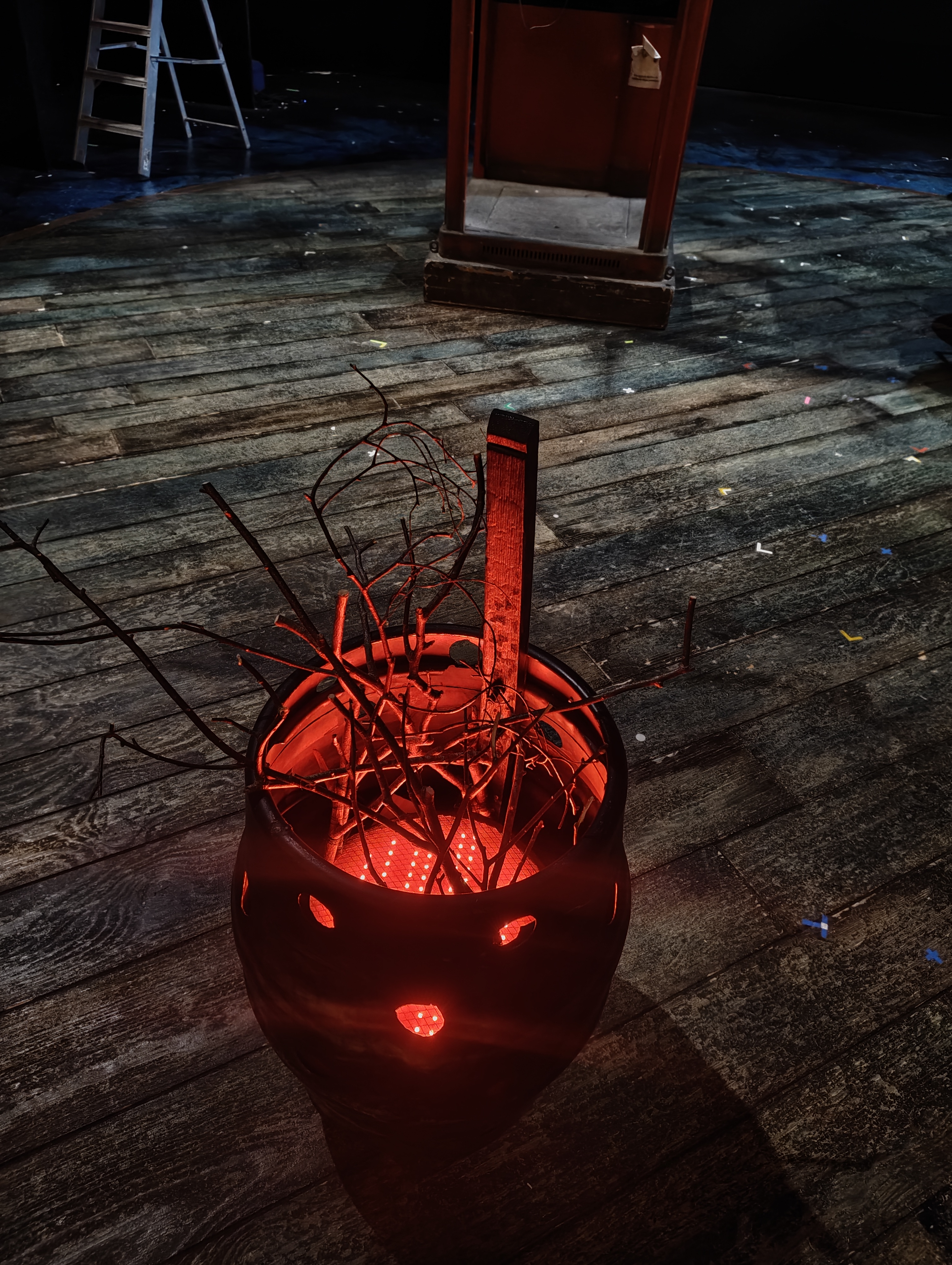
The Brazier is a metal barrel fire effect practical. It contains a circular aluminium LED panel with RGBW pixel tape mounted in strips, covered with diffusion. The panel has a split down the middle to make it easier to remove for maintenance. Prop sticks sit on top of the panel inside the barrel to complete the fire effect.
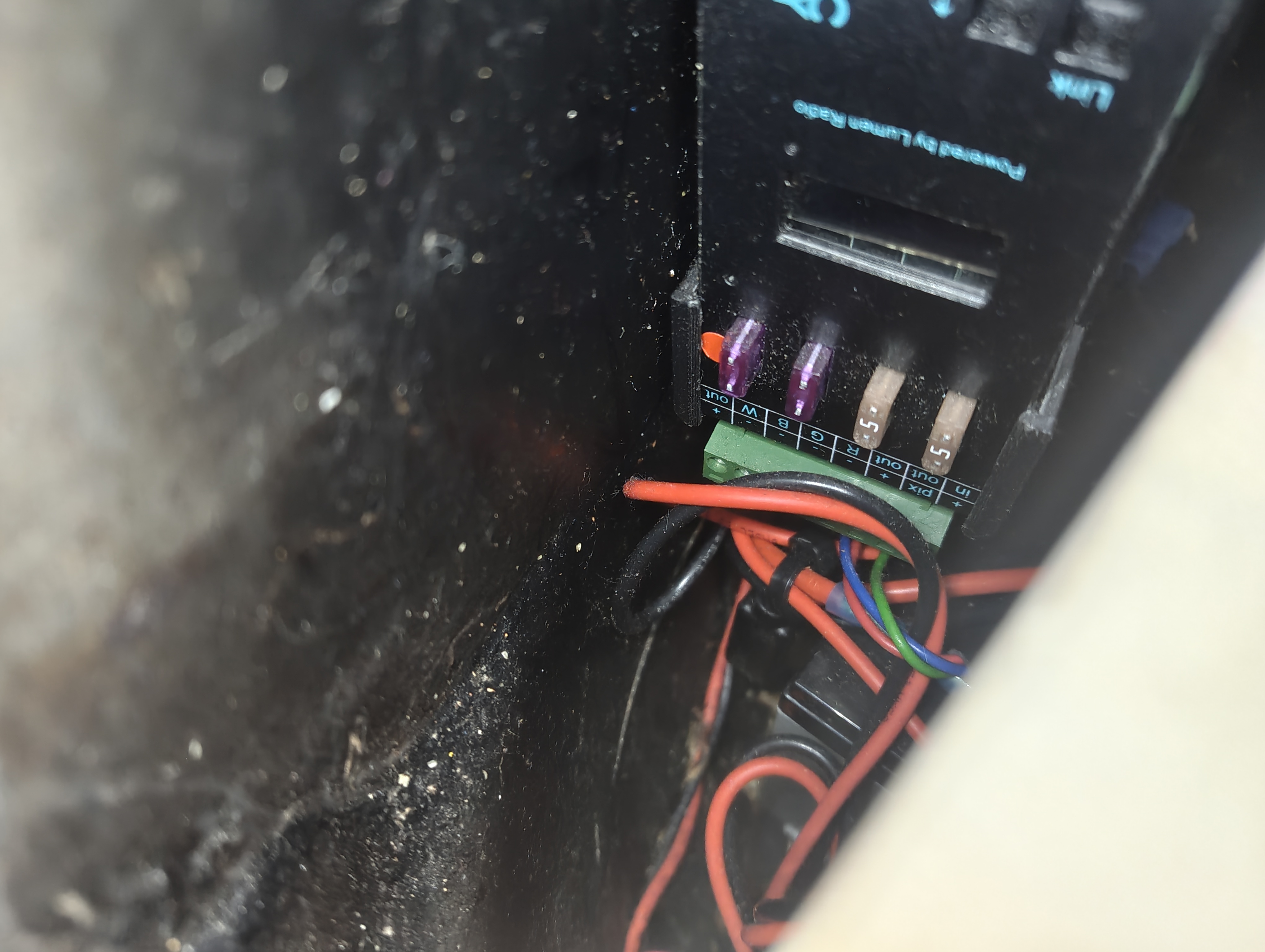
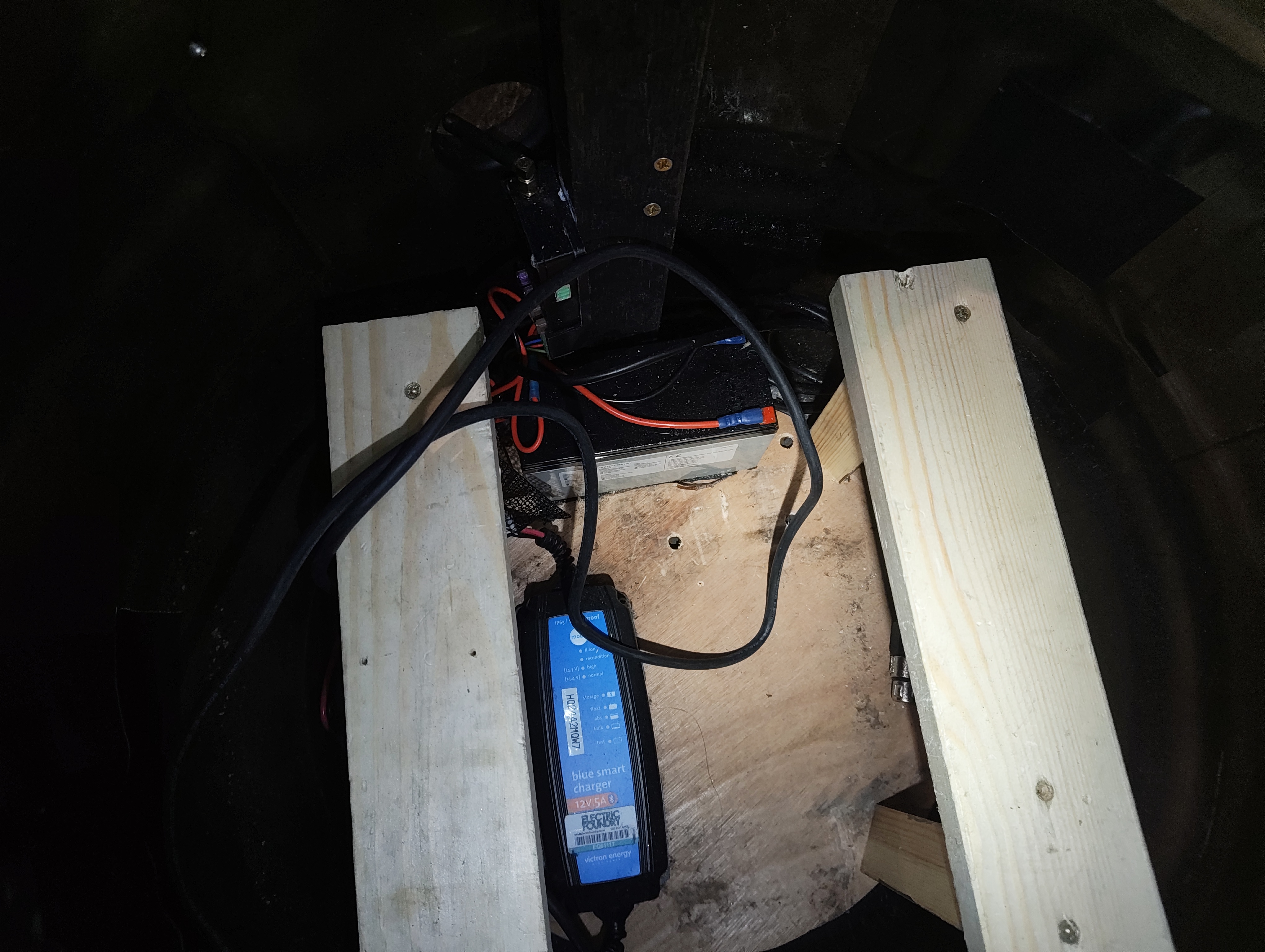
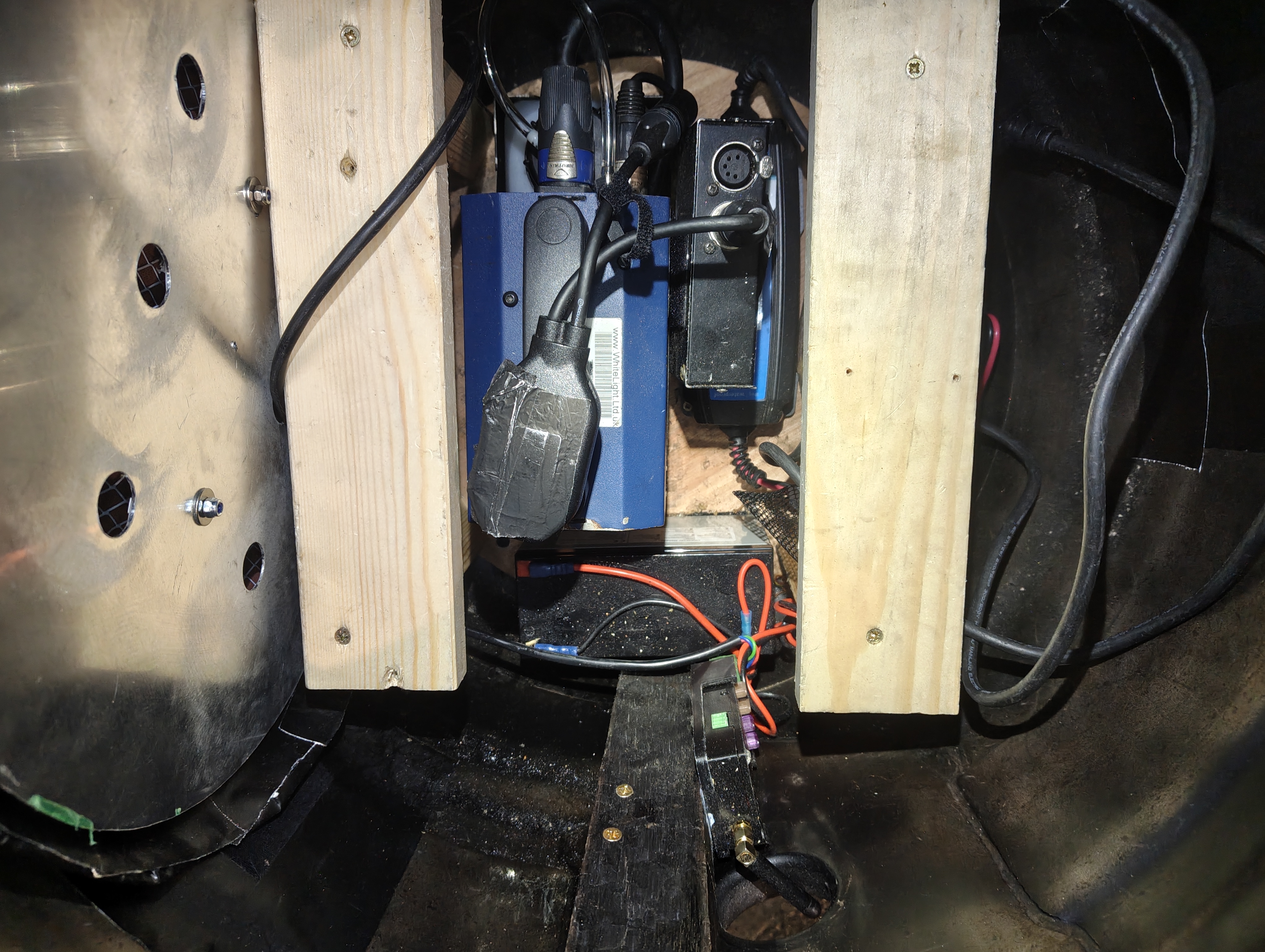
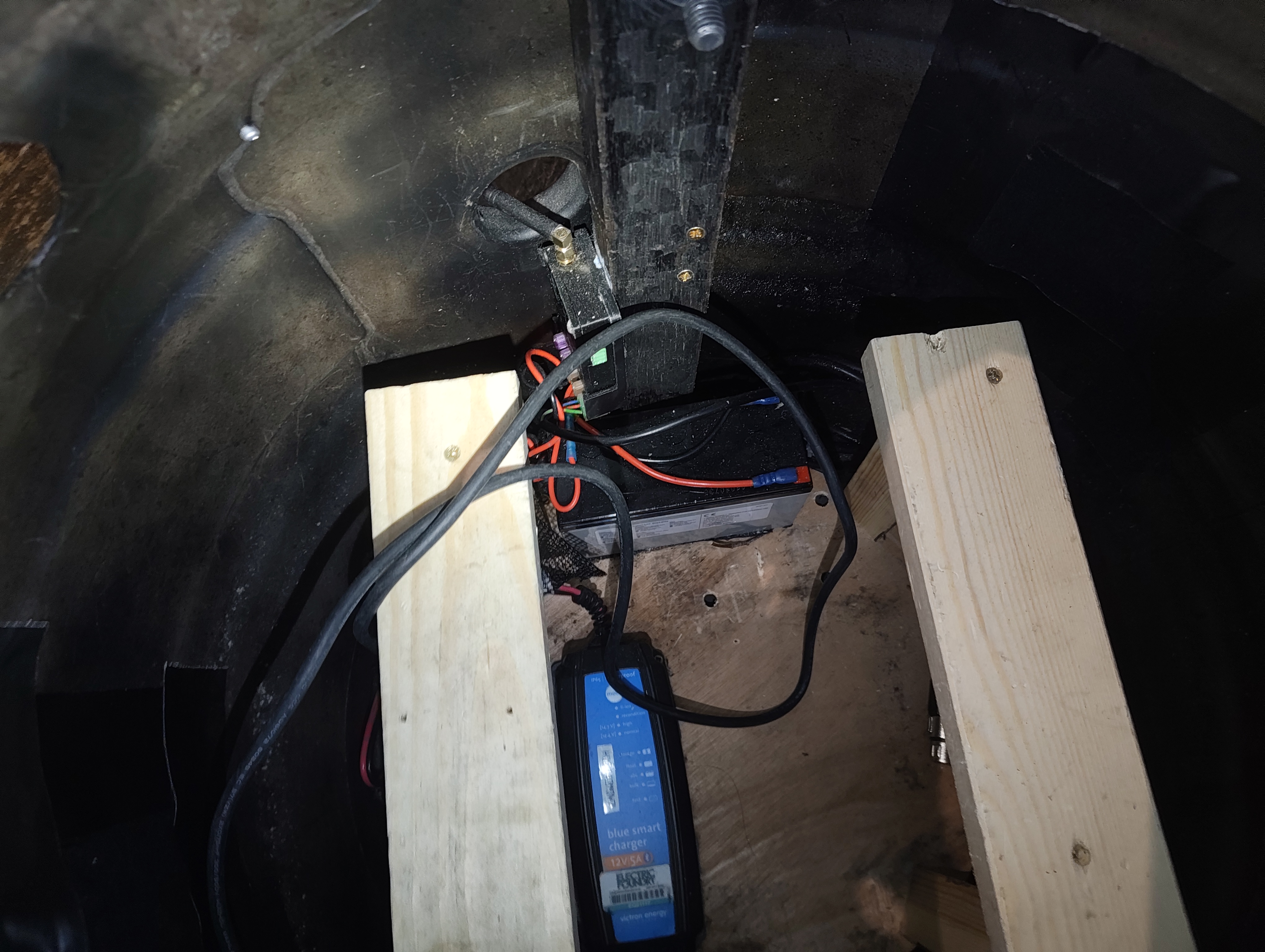
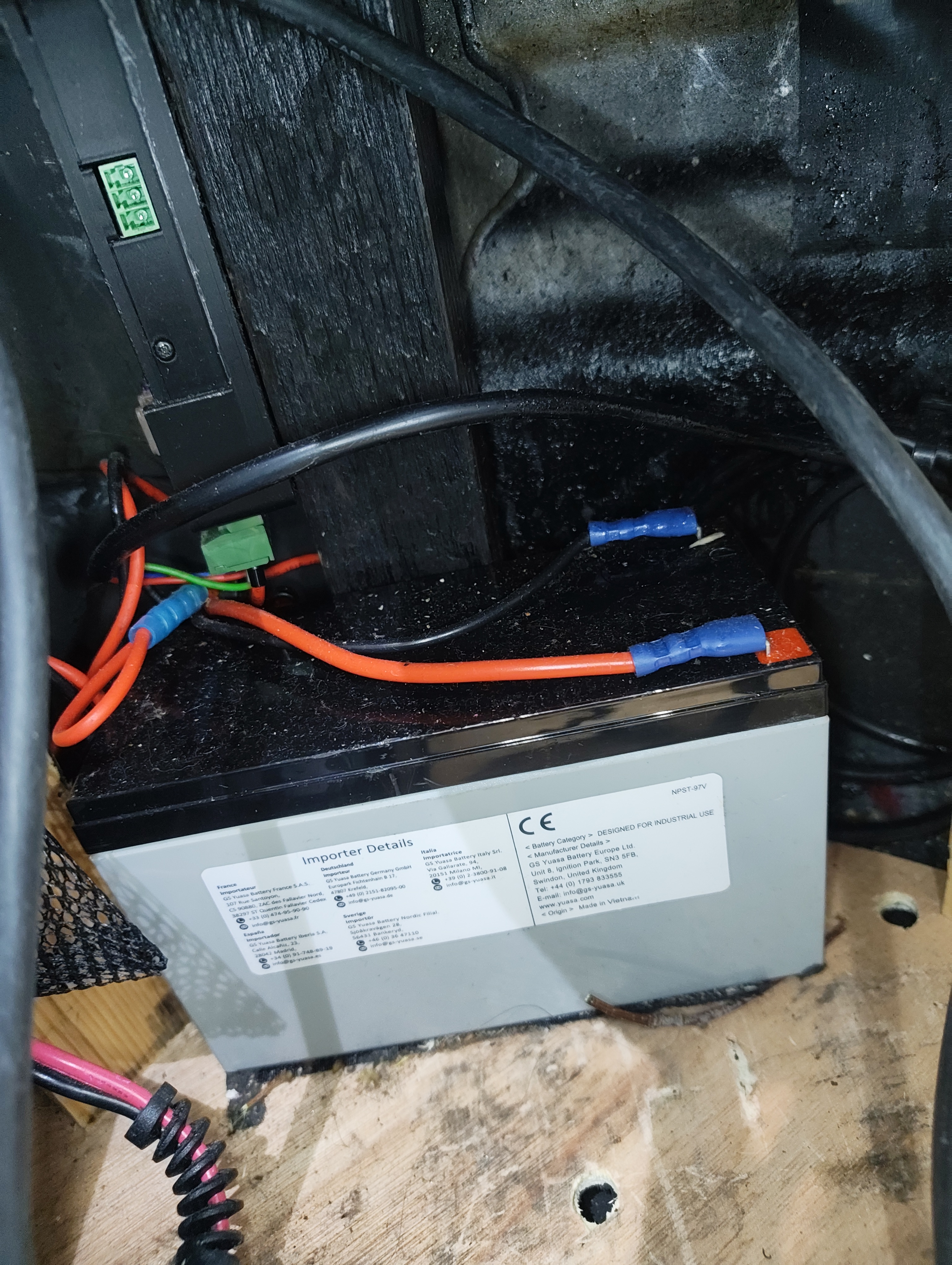
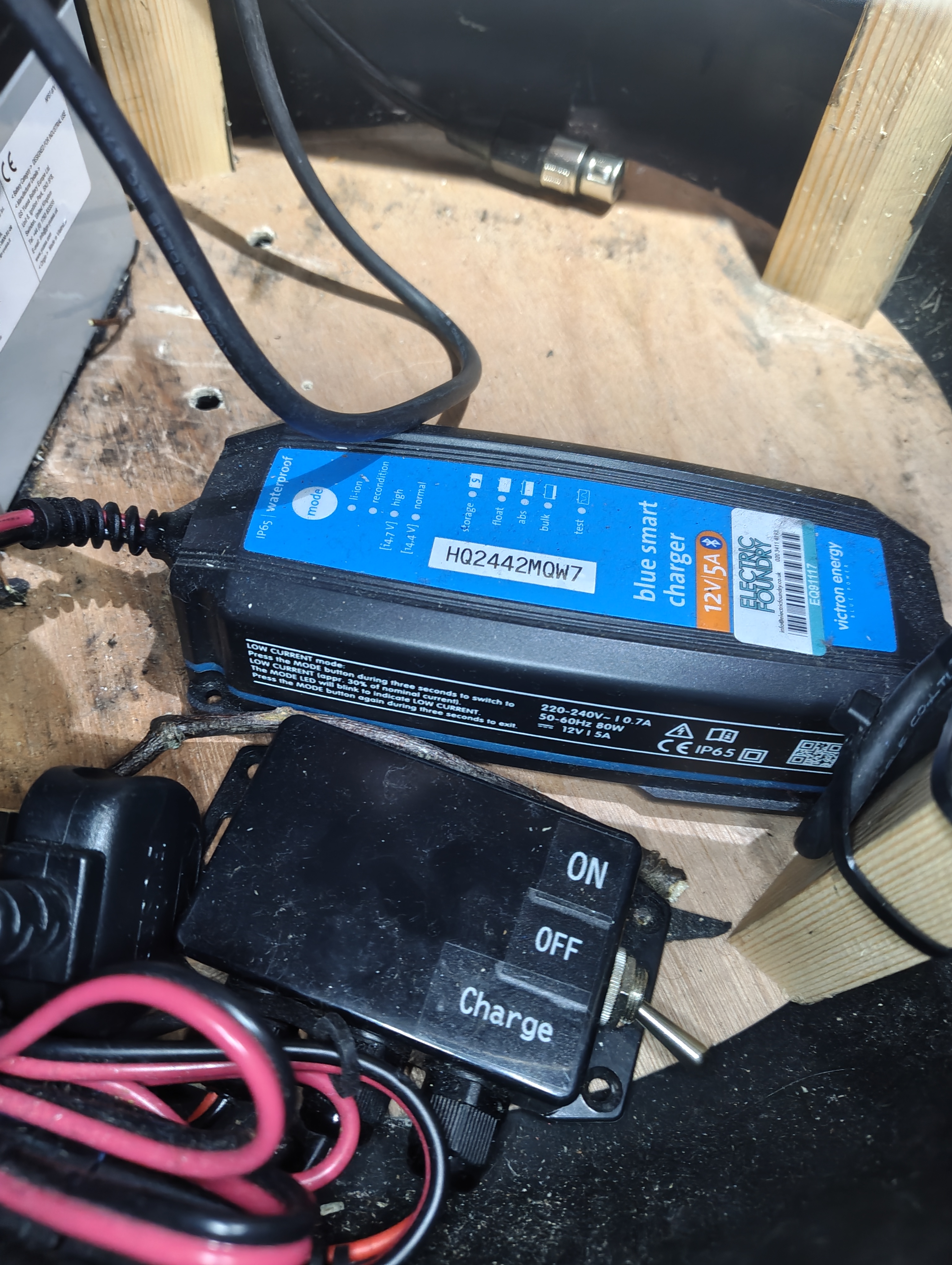
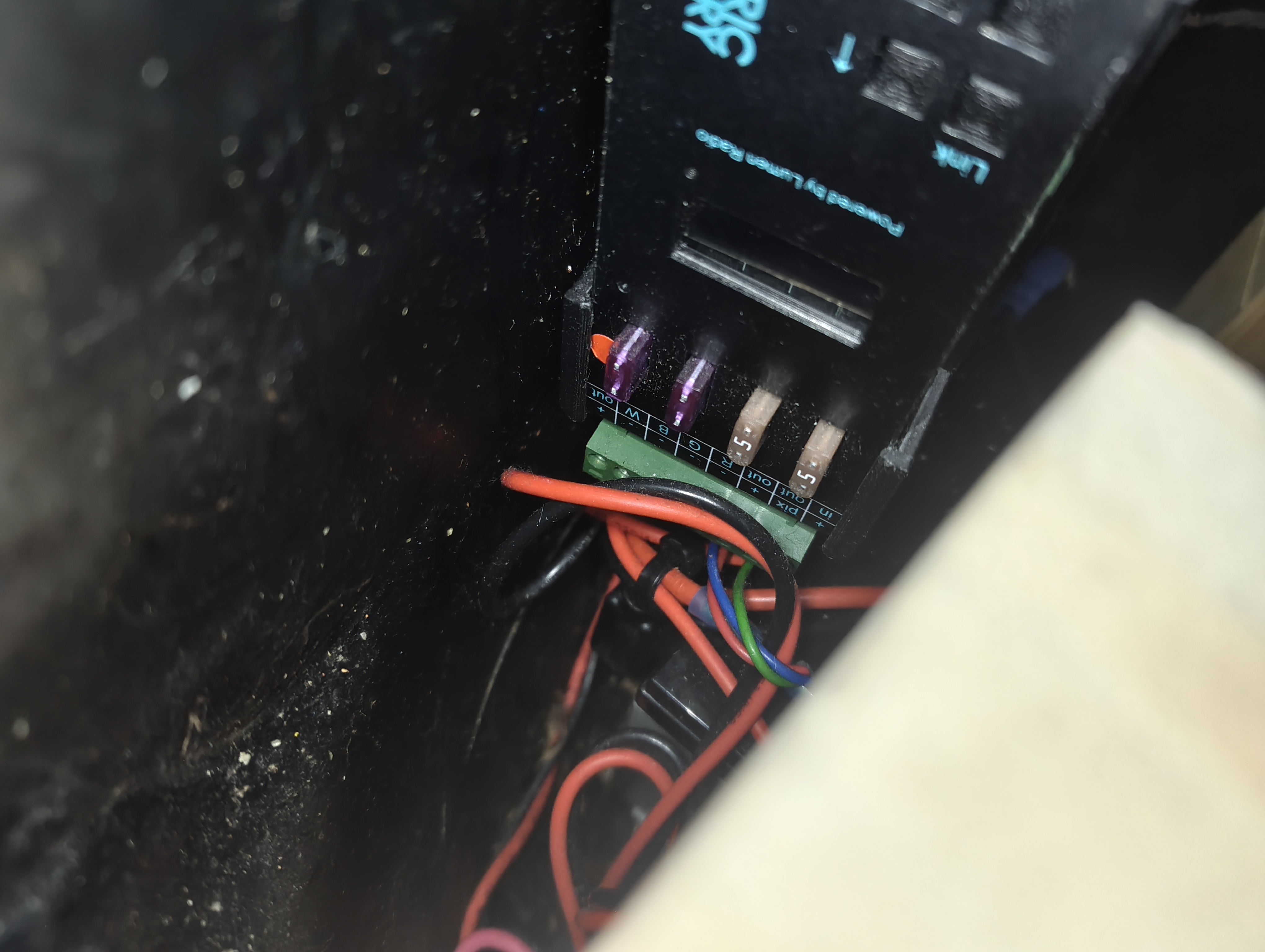
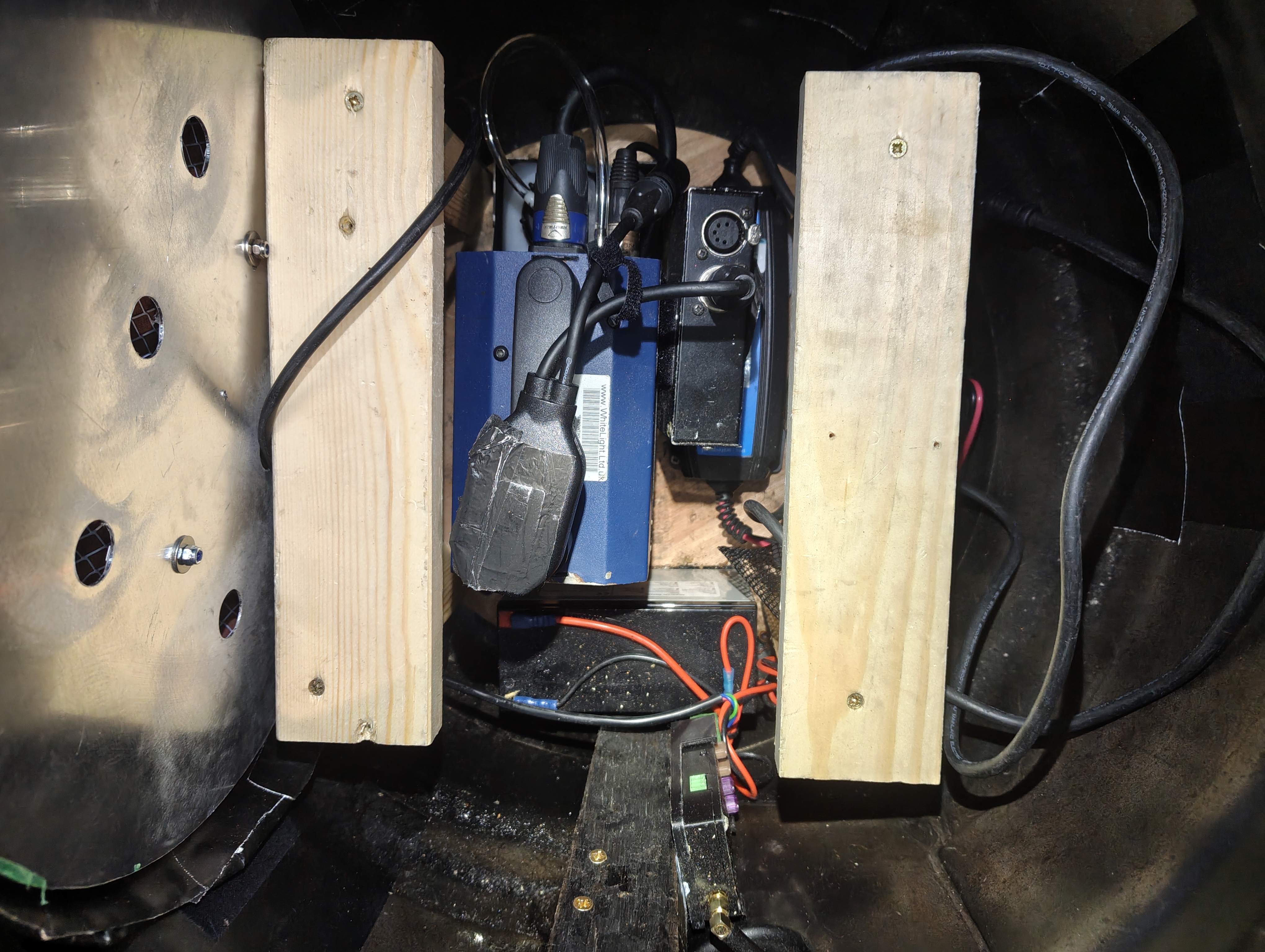
The barrel base houses an Electric Foundry CRMX receiver and pixel driver, a 12V lead acid battery, a Victron charger, and a 3-way rocker switch. The Roaming Power Tiny is placed inside the barrel during the show to add smoke to the fire effect.
Fixture Breakdown
LED Pixel Panel
A circular aluminium plate with RGBW pixel tape mounted in parallel strips. Each pixel is individually addressable, allowing the console to create a flickering fire effect across the panel. The panel is covered with diffusion and has holes for airflow. It splits in half for easier maintenance access.
Prop Sticks
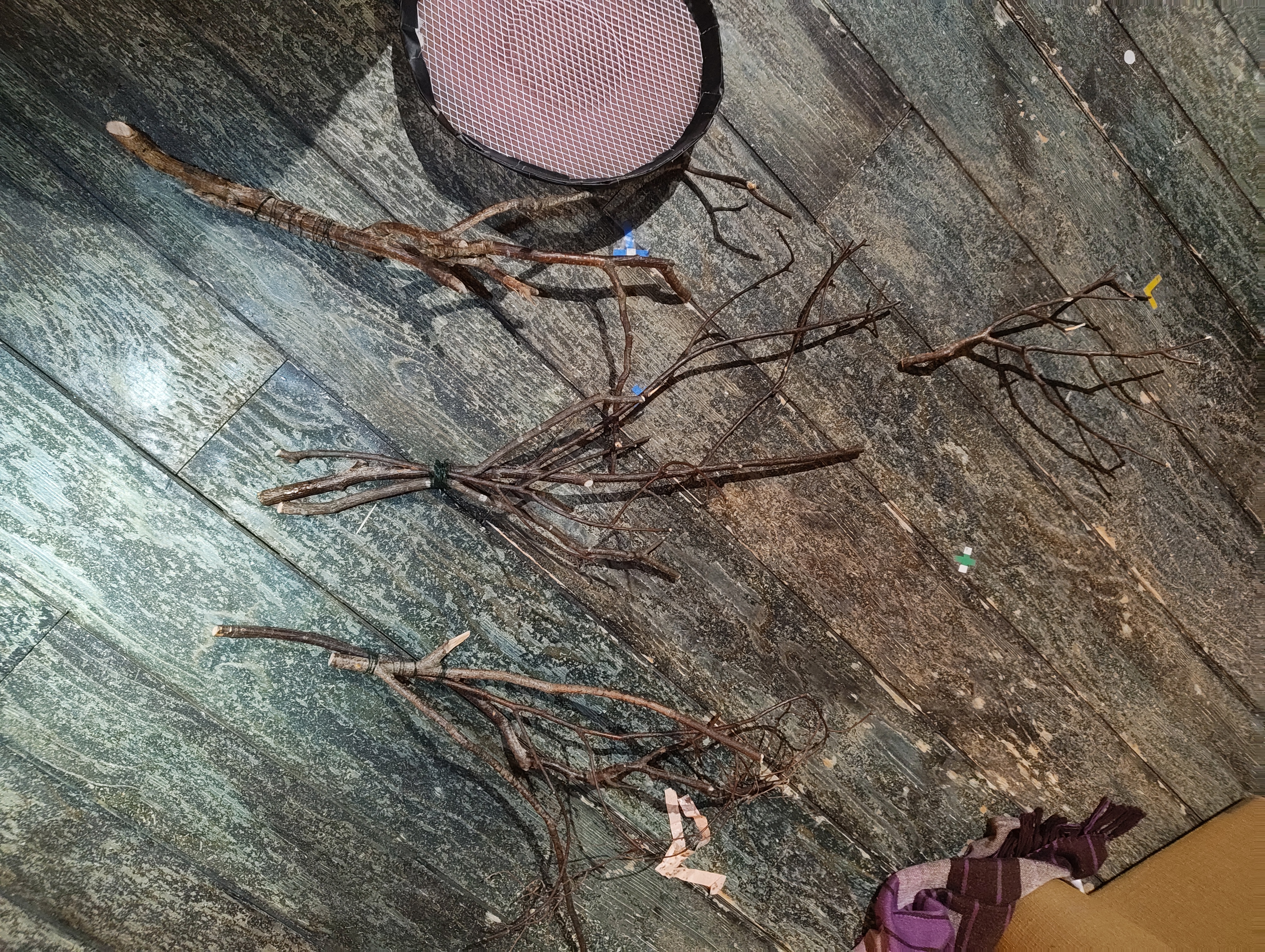
Decorative branches/sticks placed on top of the LED panel inside the barrel. These cast shadows through the diffusion to enhance the fire effect.
Smoke (Roaming Power Tiny)
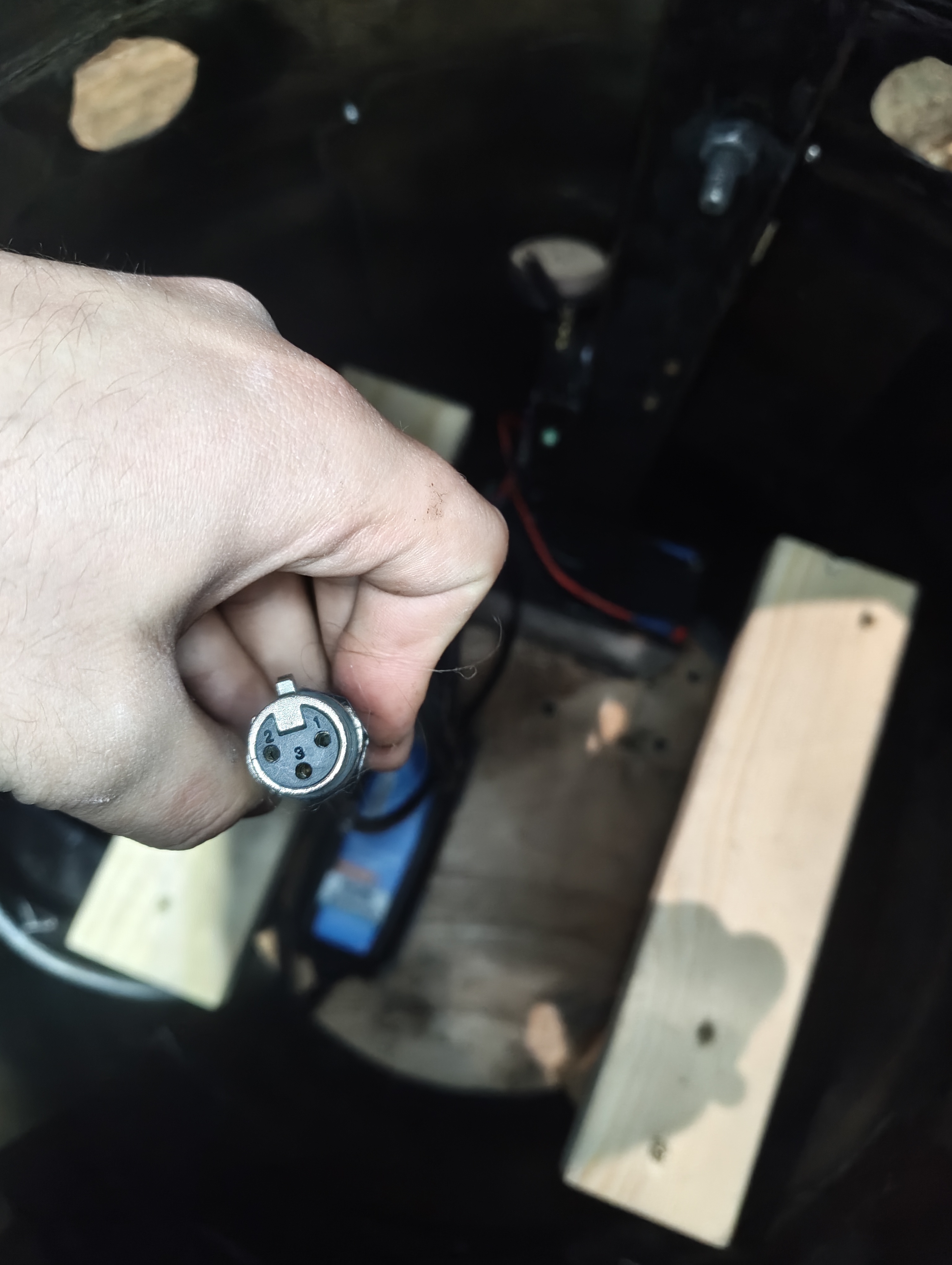
The Roaming Power Tiny mini fog machine is placed inside the barrel during the show. It connects to the Electric Foundry unit via a 3-pin XLR socket inside the barrel. The smoke rises through the sticks and diffusion panel for a realistic fire effect.
Channels & Addressing
- Fire Effect (Pixel Panel)
- Channel: 881
- Fixture Type: Fire_Keg_MC (custom pixel profile)
- Universe: 15
- Addresses: 15/1–168 (42 pixels × 4 addresses each for R, G, B, W)
- Parameters: RGBW pixel tape — individually addressable pixels with flicker effect. Each pixel uses 4 DMX addresses (Red, Green, Blue, White).
- Power Tiny Smoke
- See Roaming Power Tiny for smoke channel (Ch 952, Uni 14/145–155)
Power & Control
| Power Source | 12V Lead Acid Battery |
| Pixel Driver / CRMX Receiver | Electric Foundry CRMX unit |
| DMX Source | CRMX Stardust Transmitter |
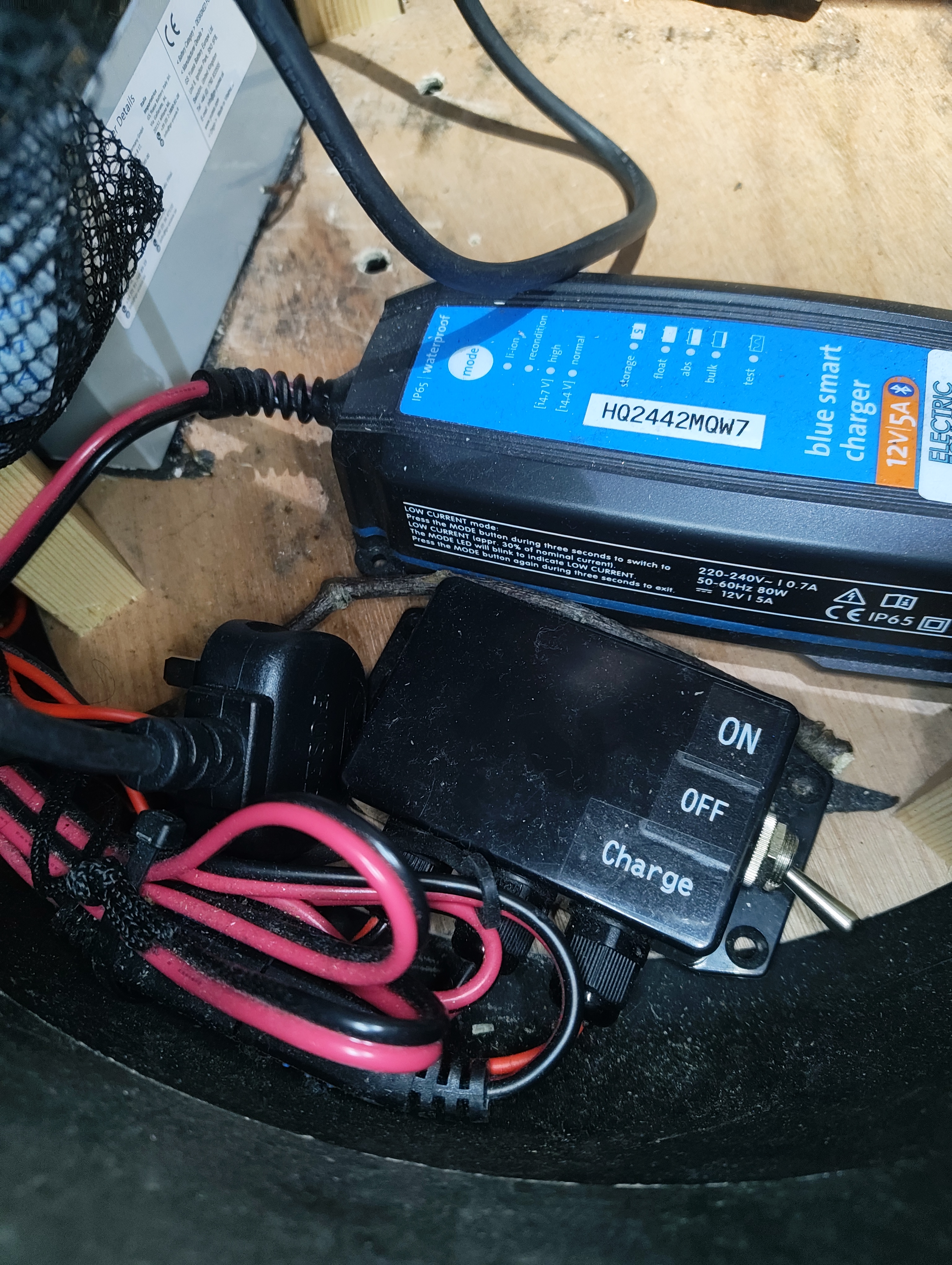
| Power Switch | Inline 3-way rocker: Off / On / Charge |
| Charger | Victron Blue Smart IP65 12V 5A (built-in) |
| Power Tiny Connection | 3-pin XLR socket inside barrel |
CRMX Antenna
The Electric Foundry unit's CRMX antenna must poke out through the hole in the barrel for reliable signal reception. If the antenna is tucked inside the metal barrel it will lose CRMX link.
Charging
The Victron charger is built into the barrel base. Set the rocker switch to Charge position and plug in the 13A tail overnight.
Wiring
Power Flow
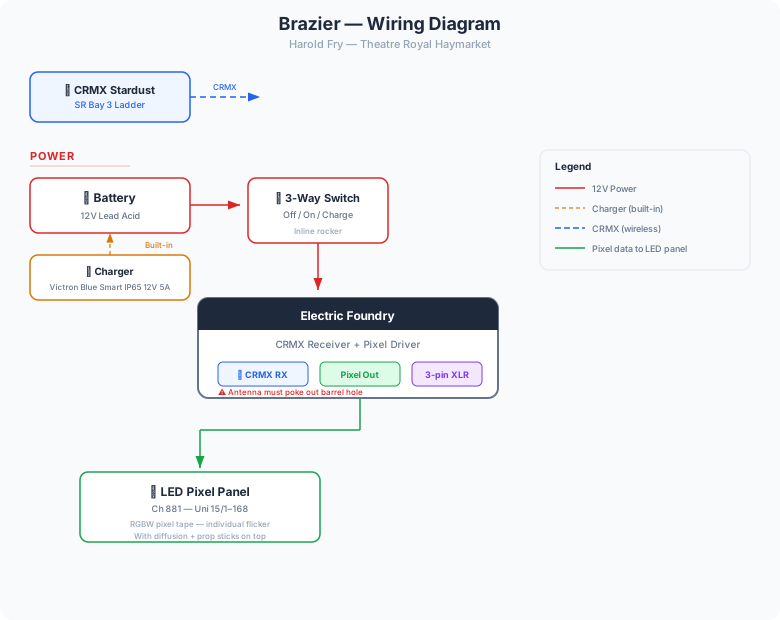
The 12V lead acid battery connects through a 3-way inline rocker switch (Off / On / Charge). In the On position, 12V feeds the Electric Foundry unit which drives the pixel tape panel. The Victron charger is built into the base and connects when the switch is in the Charge position.
Pixel Data
The Electric Foundry unit receives CRMX wirelessly from the Stardust and drives the RGBW pixel tape directly. Each pixel is individually addressable across Universe 15, addresses 1–168, allowing the console to create realistic flickering fire patterns.
Power Tiny Connection
A 3-pin XLR socket inside the barrel provides the connection point for the Roaming Power Tiny when it is placed in the barrel. The Power Tiny receives its own DMX via its attached Moonlite/DMXit — the XLR here provides the analogue control signal.
Images
Key Views
All Reference Photos (click to expand)
Components List
| Component | Detail |
|---|---|
| LED Panel | RGBW pixel tape on circular aluminium plate (split) |
| CRMX Receiver / Pixel Driver | Electric Foundry combo unit |
| Battery | 12V Lead Acid |
| Power Switch | Inline 3-way rocker (Off / On / Charge) |
| Charger | Victron Blue Smart IP65 12V 5A (built-in) |
| Smoke | Roaming Power Tiny (separate unit, placed in barrel) |
| Props | Decorative sticks / branches |
Usage
The Brazier is used to emulate a campfire. The LED pixel panel creates the flickering fire glow while the Power Tiny adds smoke rising through the sticks.
Scenes
- Campfire / Pilgrim's Trail scenes
Maintenance
- Check: LED panel diffusion for damage or discolouration from heat/smoke residue
- Check: Pixel tape adhesion on the aluminium plate
- Check: CRMX antenna is poking out the barrel hole before each show
- Check: Battery charge — switch to Charge position and plug in overnight
- Check: 3-pin XLR socket inside barrel is clean and free of smoke residue
Panel Access
The LED panel splits in half for easier removal and maintenance. Lift the sticks out first, then separate the two halves of the panel.
Troubleshooting
- No fire effect:
- Check rocker switch is in On position
- Check battery charge level
- Check CRMX antenna is out of the barrel hole
- Weak or patchy fire effect:
- Check pixel tape connections on the panel — some strips may have come loose
- Check for smoke residue on the diffusion — clean if needed
- No smoke:
- Check the Power Tiny is placed in the barrel and connected via XLR
- See Power Tiny troubleshooting